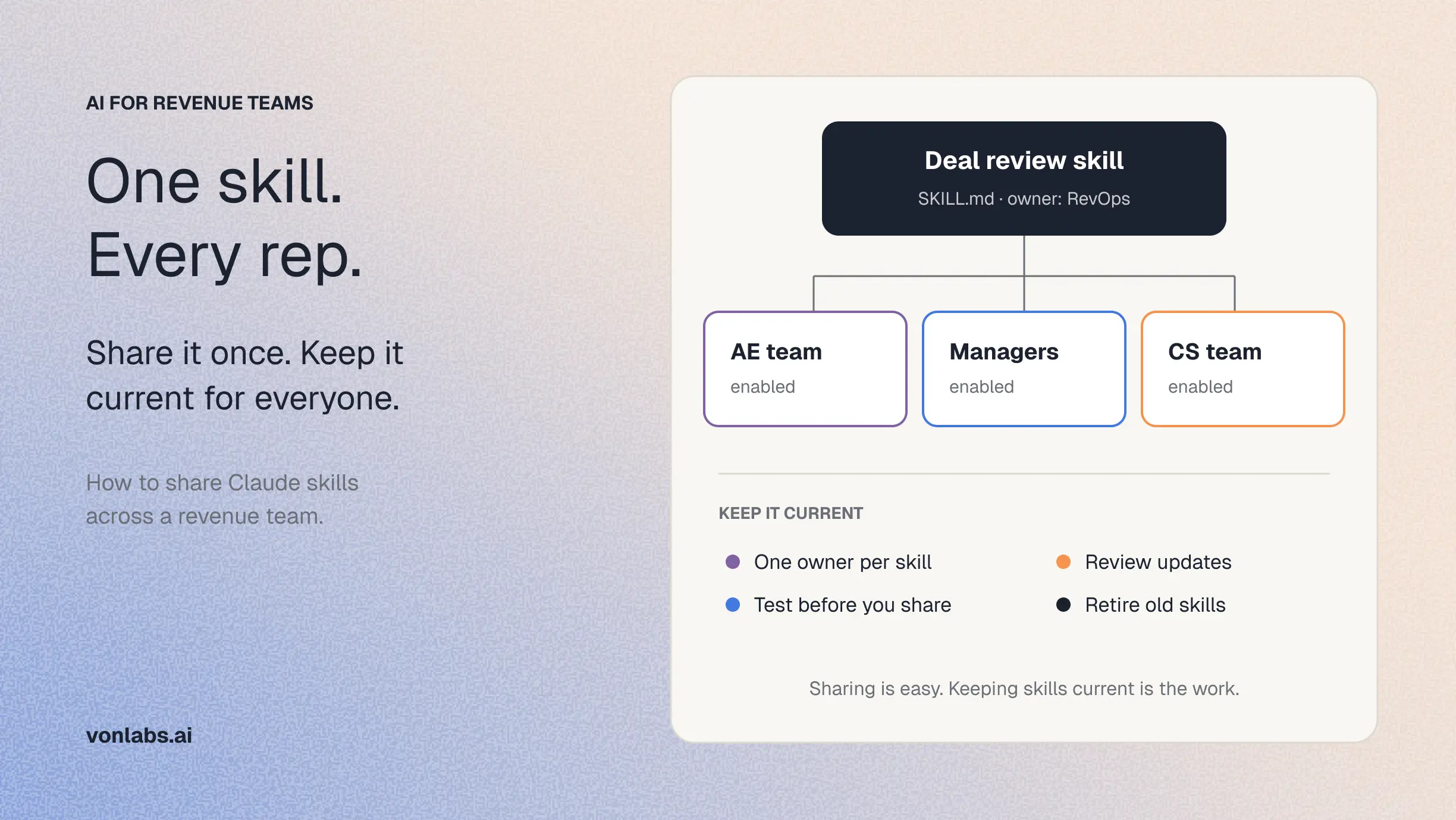
A Claude skill that one rep builds makes one rep faster. The same skill shared across the team can give every AE the same deal review format, the same call prep brief and the same way of summarizing a forecast. Getting there takes two things: knowing which sharing option fits, and treating the shared skills as something the team maintains.
This guide covers both. It explains the sharing options Claude offers today, walks through the steps, and shows how revenue teams keep a skill library useful once more than a few people depend on it.
The short answer: On Claude Team and Enterprise plans, you can share a skill with specific colleagues, share it with a group (Enterprise only), publish it to your organization's library, or have an organization owner provision it for everyone. Shared skills update automatically for recipients. On Free, Pro and Max plans, each person uploads skills to their own account, so teams usually keep the files in a shared drive or Git repository.
What a Claude skill is
A skill is a folder of instructions, and sometimes scripts or templates, that teaches Claude how to do a specific task. Every skill includes a SKILL.md file that describes what it does and when to use it. Claude reads that description to decide when the skill applies.
For a revenue team, a skill might hold the format for a deal review, the questions to answer before a discovery call, or the structure of a weekly pipeline summary. Skills are available on all Claude plans and require code execution to be turned on, according to Anthropic's guide to using skills.
Four ways to share a skill
Claude offers four sharing paths. They differ in who can share, who controls updates and whether an owner reviews the skill first.
Shared skills are view-only. Recipients can turn them on and use them, but cannot edit them. The owner can remove access at any time, and access ends automatically if a recipient leaves the organization. These details come from Anthropic's documentation on provisioning and managing skills.
Sharing keeps the skill under the creator's control. Publishing hands it to the organization, which then manages it. For a skill that the whole sales team will rely on, publishing or provisioning is usually the better choice, because it does not depend on one person's account.
How to share a skill with your team
These steps apply to Team and Enterprise plans.
- Go to Customize > Skills in Claude.
- Find the skill you created.
- Open the three-dot menu next to it and select Share.
- Enter the names or emails of specific colleagues, or choose a group if you are on an Enterprise plan.
- Click Share. The skill appears in each recipient's list, turned off until they enable it.
To make a skill available to everyone, open it and select Publish to org instead. If your organization requires review, you choose how it should be offered (available to install, installed by default or required), and a reviewer approves it before it appears in the library.
If the Share button is missing
An organization owner controls sharing in Organization settings > Plugins & skills, under the Policy tab. Check these settings:
- Skill sharing is on by default for Team plans and for Enterprise plans that have not set a skills preference.
- Share with groups and Share with organization are off by default, so an owner must turn them on.
- Organizations with HIPAA readiness or other regulated configurations have skills and sharing turned off by default.
- A group only appears in the share menu if an owner has turned on its Share resources with this group setting.
If you still cannot share, ask your organization owner whether your role includes the capability to share skills.
Which skills a revenue team should share
The best candidates are tasks that many people do and that should come out the same way every time:
- Deal review format: the questions a manager expects answered for every opportunity in a pipeline review.
- Call prep brief: what to pull together before a discovery or renewal call, and in what order.
- Weekly pipeline summary: the structure leadership reads each Monday.
- Account research: which sources to check and how to present a new account.
- Objection responses: your approved answers to common pushback.
Skills that encode one person's preferences, such as how they like their own notes formatted, are better kept personal. Shared skills should reflect how the team works, not how one person likes to work.
Keep your skill library current
Sharing is the easy part. RevOps leaders often find that the harder work starts afterward, once a dozen skills exist and people disagree about which version is right. One RevOps leader told us that writing skills was manageable, but sharing them across the team was something they had not found a good way to do. Five habits help.
1. Give every shared skill an owner
Each skill should have one person responsible for keeping it accurate. When a stage name changes or a field is retired, that person updates the skill. Without an owner, outdated skills keep running.
2. Test before you share
Anthropic recommends testing a skill on your own account before distributing it. Run it against a few real deals or accounts and compare the output with what a manager would expect.
3. Use review for skills the whole team depends on
When an owner sets publishing to require review, the reviewer sees every file and what changed since the last version. Everyone stays on the approved version until the update is approved, so a careless edit does not reach the whole team at once.
4. Name and describe skills clearly
Claude uses a skill's description to decide when to apply it. A clear description, such as "Use for weekly pipeline reviews of New Business deals," helps Claude pick the right skill and helps teammates find it.
5. Retire skills that no longer apply
Review the library each quarter. Remove skills for processes the team no longer runs, and merge duplicates. Owners can see who shared what in the audit log, although the log records the share event, not the skill's contents.
What skill sharing does not settle
Sharing distributes the same instructions to everyone. It does not keep the business knowledge inside those instructions current. A skill that says "qualified pipeline starts at Stage 2" stays correct only until the team changes its stages, and every skill that repeats that definition has to be updated separately.
A skill also works with whatever data each person has connected and can see. Two reps using the same shared skill can still get different answers if they reach different data or apply a different definition, which is one of the main reasons AI gives different answers across a team.
For many teams, a well-run skill library is enough. Teams that need shared definitions, current deal evidence and cross-deal analysis for everyone usually need a shared layer of business context underneath the skills. We explain that layer in What Is a GTM Brain?, and compare the options in build vs. buy for revenue AI.
Von is a GTM AI system of intelligence built for that second case. It learns a company's definitions, stages and institutional knowledge, and applies them across the team, so the knowledge does not have to be restated in every skill file.
Frequently Asked Questions
Can I share Claude skills on a Pro or Max plan? Skills work on Free, Pro and Max plans, but sharing with colleagues and publishing to an organization are Team and Enterprise features. On individual plans, each person uploads skills to their own account, so teams often keep skill files in a shared drive or Git repository.
Do teammates get updates when I edit a shared skill? Yes. When you save a new version of a skill you shared, recipients get the updated version the next time they use it. For organization-published skills, review of new versions depends on the organization’s publishing policy.
Can people edit a skill I share with them? No. Shared skills are view-only. Recipients can turn them on, turn them off or remove them from their list, but only the owner can change the contents.
How do I give a skill to only the sales team? On Enterprise plans, you can share a skill with a group, or an owner can bundle skills into a plugin and assign it to a group. Members outside the group do not see those skills.
Are shared skills enough to give a revenue team consistent answers? They help by giving everyone the same instructions. Consistent answers also depend on every person using the same data and the same business definitions, which skills do not maintain on their own. See Claude for Revenue Teams for what else a team needs.
Sources
- Use skills in Claude, Claude Help Center
- Provision and manage skills for your organization, Claude Help Center